
Composition with breathing room
Keep faces readable and leave space around shoulders and hands. For two subjects, make both visible in the starting image instead of asking the model to invent a second person.
IMAGE TO VIDEO
Create a Hotel Lobby AI inspired performance from one image with Seedance 2.5. Choose 5–30 seconds and 480p, 720p or 1080p, then describe the motion. Optional generated sound is included in the same credit price.
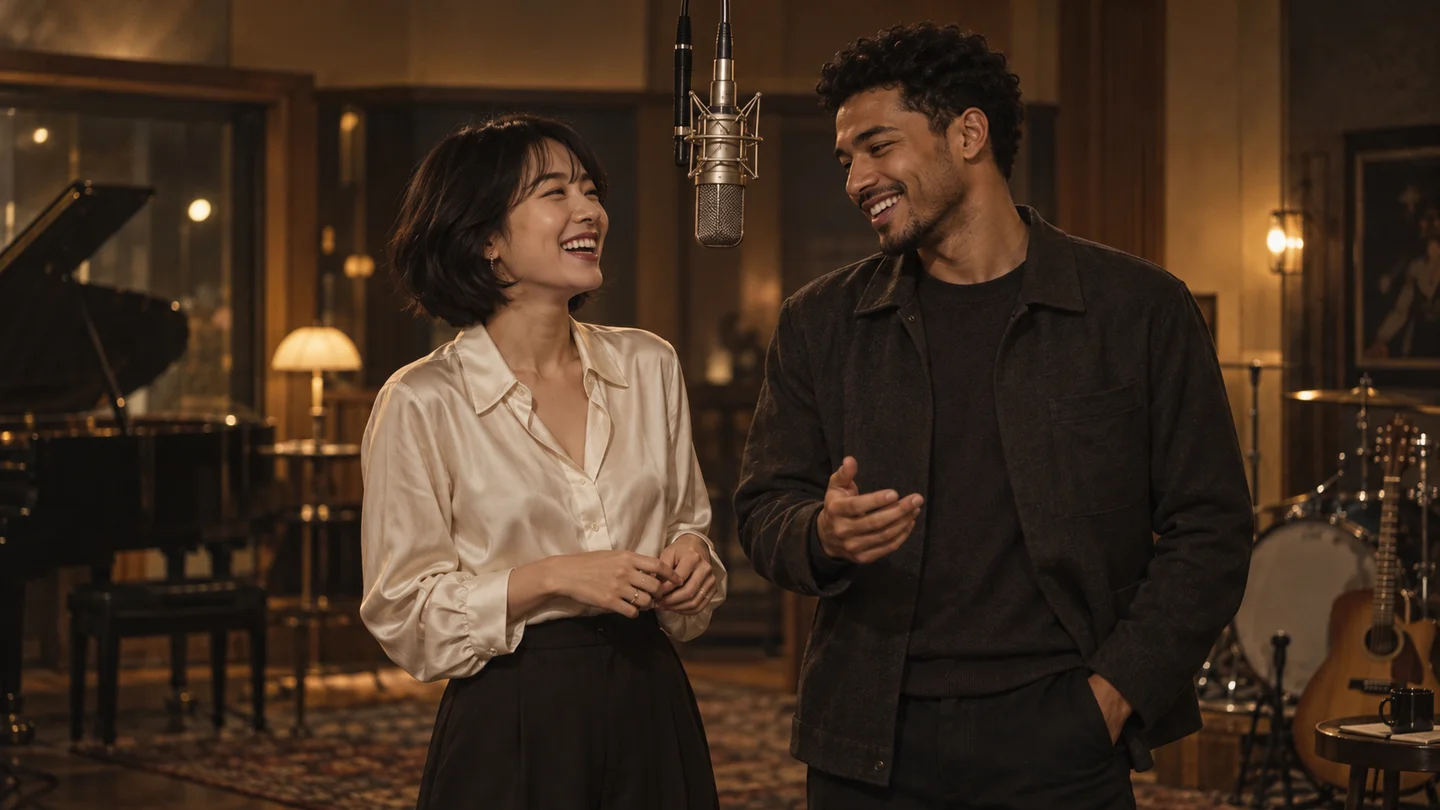
An original still to set the mood. Your generated video will appear here.
THE IDEA BEHIND THE FRAME
Hotel Lobby AI is the creative starting point for this page: a short performance with the atmosphere of a studio rap video. Think of a duo sharing a microphone, a warm set, and small gestures that give each subject a personality. Our generator explores that visual idea by animating a scene you supply.
This page gives that idea an image-to-video workflow. The image supplies the people, clothing, background and framing; the prompt describes motion over time. A useful first attempt is a believable nod or a small hand gesture, with the original composition kept steady.
Think like a director setting up one short shot. Choose an image with the elements you want to keep, then ask for a manageable movement. A prompt is most useful when it builds on what is already visible.
Keep faces readable and leave space around shoulders and hands. For two subjects, make both visible in the starting image instead of asking the model to invent a second person.
A studio, a lounge or a simple portrait background can each support a different mood. If a microphone or warm booth matters to your concept, include it in the source image.
Try a nod, a glance or a restrained gesture. Several scene changes or complex choreography can be difficult to communicate in one 5-second shot.
Use a locked camera to emphasize the subjects, or a slow push-in for a closer moment. Review the result for facial details and object consistency before sharing it.
Choose a direction that matches your photo. Copy a starting prompt, replace the action with your own idea, and paste it into the generator above. These are creative recipes, not pre-rendered video templates.
STARTING IMAGE
One landscape image with two visible subjects and the studio setting already in place.
Keep both subjects in the original frame. They gently nod and exchange a brief glance, with small, natural hand gestures. Keep the microphone and background stable. Use a fixed camera and preserve the warm lighting, clothing and facial features.
Start with a silent take. This direction asks for performance gestures, not synchronization to a specific song.
Prompt examples are suggestions. Results depend on your starting image and the model’s interpretation.
03 /
Start with a scene you already like. This image-to-video workflow keeps the creative decisions small: a starting image, a clear action, and a short take you can review.
Upload a JPG or PNG up to 10 MB. For a duo, use a single image that already contains both subjects. Choose a landscape composition if you want a wide studio scene.
Describe the action and camera movement. Select a duration from 5 to 30 seconds and a resolution: 480p, 720p or 1080p. Review the displayed credit cost before submitting; sound does not add credits.
Watch the result, check faces and movement, then download the video. You can return to Recent creations with the same account while the generation is being processed.
ONE-TIME CREDIT PACKS
Choose a one-time pack for Seedance 2.5 video creation. All three packs support the same resolutions and durations. Credits are charged per video, based on your selected settings.
Try the format and make your first clips.
$9.90USD
50 credits
More room for regular creative experiments.
$19.90USD
Our lowest price per credit for a longer creative run.
$29.90USD
160 credits
Credits are shared across all settings. A pack may not cover every video length or resolution; check the table and your balance before generating. AI results vary between attempts.
Checkout is not available yet.
FAQ / 08
A few practical details about images, sound, credits and keeping your finished videos.
On this page it refers to a creative video direction, not booking, accommodation or a hotel concierge. You can explore studio performances and other image-to-video ideas here. This is an independent tool, not the official site of a song, artist or the reference website.
The current generator accepts one starting image. To animate two people, use an image that already includes both of them. It does not currently combine two separate portraits or build a new studio scene for you.
This workflow uses Seedance 2.5 through Kie. Choose 5, 10, 15, 20, 25 or 30 seconds and 480p, 720p or 1080p. Optional generated sound is available at the same site credit price. The uploaded image supplies the starting frame.
No. Sound enables the model’s audio generation; it does not import a particular track, restore original music or promise word-for-word lip sync. If you need an exact soundtrack, download the video and add audio you are authorized to use in your editor.
You can try each of these with a suitable starting image. Use a simple motion that fits the subject and keep the important visual details clear. The prompt examples above give you different starting points; results can vary by image.
At 15 seconds, 480p costs 20 credits, 720p costs 45 and 1080p costs 80. Other durations scale with length, rounded up; sound does not add credits. Credits are reserved on submission and returned for confirmed generation failure. An uncertain submission must be checked before settlement.
Yes. Processing continues at the provider. Return with the same account and select the task in Recent creations to check its status or view the result. Avoid resubmitting the same idea just because the page was closed.
Download a successful result promptly. Provider download links are temporary and may expire after 14 days. Recent creations helps you find a task, but it is not a promise of permanent video storage.
08 /
Start with a photo that already has the mood you want. Give it one clear action and see where a short take leads.